How to demo an automation so it sells (recording checklist)
A 60-second recording of the trigger, the result and the safety net beats any deck. The shot list, the narration, and the mistakes that flatten demos.
3 min read Reviewed 22 September 2026 · AgeBridge Editorial
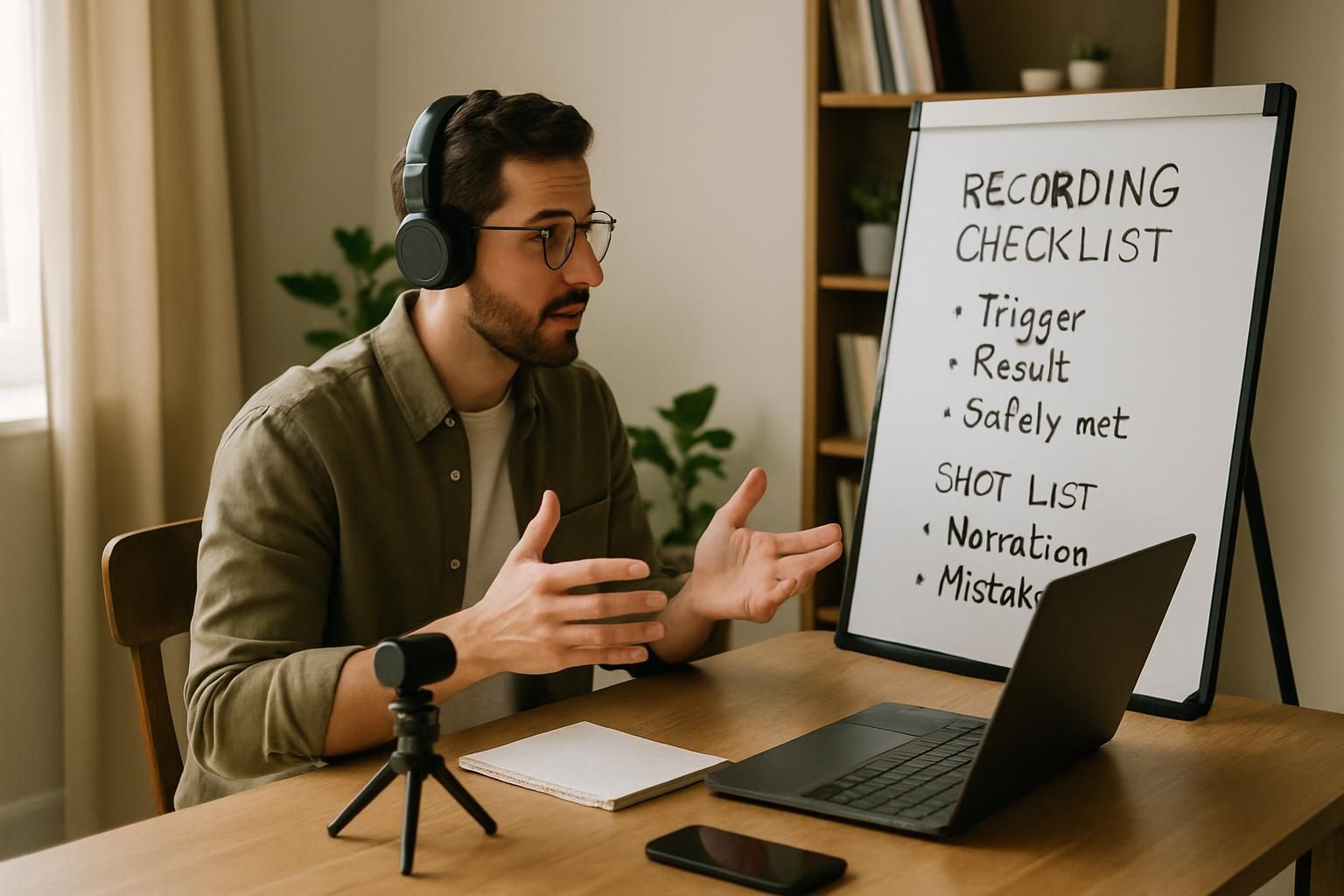
A demo sells an automation when a business owner sees, in under a minute, a realistic input arrive, the result appear where they would look for it, an unusual case go to a person, and the workflow they could open themselves. Record it rather than performing it live, narrate one sentence per shot, and use real-shaped data with personal details replaced. That recording, attached to the project on your profile, does more for the next buyer than any deck, and it is the evidence that moves a project up the proof ladder.
Why do most demos fall flat?
They show the builder's screen: nodes, prompts, logs. The buyer sees complexity and worries about who understands it. A selling demo shows the business's screens: the WhatsApp thread, the CRM, the calendar. The automation is invisible; its effects are obvious.
- 0–10s: the input: A realistic form or message arrives
- 10–30s: the result: Reply sent, CRM entry created
- 30–45s: the exception: An unusual input goes to a person
- 45–60s: the owner's view: Open the workflow they can edit
The shot list
Shot 1: the input (0–10 seconds)
Fill the website form, or send the WhatsApp message, exactly as a customer would, with realistic content. "Hi, I'd like to book a consultation next week, mornings are best." Say what you're doing in one sentence.
Shot 2: the result (10–30 seconds)
Cut to where the owner would look: the WhatsApp reply arriving on the business number, then the CRM record appearing with the source and the customer's preference captured. Point at the timestamp. This is the shot the buyer remembers.
Shot 3: the exception (30–45 seconds)
Send the unusual input: "My tooth is killing me, can anyone see me today?" Show it bypassing the automation and landing on the front desk's phone with a flag. Say: "Anything about pain or emergencies goes straight to a person; the automation never guesses."
Shot 4: the owner's view (45–60 seconds)
Open the workflow in Make or n8n for ten seconds. Hover over the message template. Say: "This is the text your office manager can change herself." Close it. End on the CRM record.
Narration rules
- One sentence per shot, in the business's words, no tool names except in shot 4.
- Say what the buyer is looking at before it happens: "Watch the reply arrive."
- No "as you can see", no "basically", no apologies for the test data.
- End with the number if you have one: "In the pilot this took reply time from hours to under a minute."
Preparation checklist
| Before recording | Done |
|---|---|
| Test data with realistic names and phrasing, personal details replaced | |
| Notifications and other tabs closed; browser zoom at 125% | |
| The exception path actually triggers on the input you'll use | |
| Screen recorder set to system audio off, mic on, 1080p | |
| A dry run, timed: under 70 seconds | |
| Captions or a two-line summary added for silent viewing on a phone |
Where the demo goes
Attach it to the project on your AgeBridge profile as evidence. Send it as the second message after a discovery call, before the brief. Play it at the start of a proposal call. Cut a 20-second version for LinkedIn and short-form content with the number as the caption.
Mistakes that cost the sale
- Showing the builder's screen first.
- Fake data that reads fake ("John Doe, test test").
- Skipping the exception shot; buyers imagine the worst case if you don't show it handled.
- Running over two minutes.
- Explaining the model instead of the outcome.
Best fit and not a good fit
Best fit: any automation with a visible input and output, which is nearly all of them. Not a good fit: internal data pipelines with nothing to see; for those, demo the before-and-after of the sheet or dashboard they feed.
What to do this week
Record the 60-second demo for your best project using the shot list. Attach it to the project. Send it to the last person who asked what you do.
Questions people ask
Live demo or recording?
Record it. Live demos fail on Wi-Fi and nerves. Play the recording on the call and pause to answer questions; offer a sandbox afterwards for the buyer to try.
Should I show the prompt or the code?
No. Show inputs, outputs and the exception path. If the buyer asks how it works, open the workflow view for ten seconds and go back to results.
What if my automation isn't visual?
Every automation has an input and an output somewhere a person can see: an inbox, a sheet, a CRM record. Show those before-and-after.
Sources
- Make: Getting started · Make · 2026-06-01
Editorial guidance, not advice. Estimates are labelled and dated; nothing here is AgeBridge marketplace data unless it says so.
Put this into practice on your AgeBridge profile
A free profile with real projects is what businesses look at first.
Build my profileRelated guides
How to write a case study a business owner will actually read
A one-page structure for AI-builder case studies: the problem in the owner's words, what you built in plain language, what changed, and proof a buyer can check.
4 min read · 22 September 2026
Proof over claims: the evidence that convinces a buyer
Buyers rank evidence: a demo beats a screenshot, a screenshot beats a description, a description beats a skill badge. The proof ladder and how to climb it.
3 min read · 22 September 2026

How to run a two-week pilot that turns into a retainer
The pilot that converts: fixed scope, five days on real data, one number, a hand-over the client can open, and the retainer conversation on the last day.
3 min read · 22 September 2026